Why Markdown Matters for AI Communication?
In Chapter 1, you learned about the Agent Factory paradigm — turning domain expertise into AI-powered digital employees. But how do you actually tell an AI agent what to build? You need a language that both you and the AI understand. That language is markdown.
Imagine you want to build a mobile app. You write a long email to an AI agent:
"Hey, I need an app for tracking tasks. Users should be able to add tasks and see them and delete them. When they open the app there should be a menu. The menu should let them pick what to do. It should have options for adding, viewing, and deleting. Also it should save tasks so they don't lose them when they close the app."
This describes what you want, but it's messy. The AI has to guess:
- What are the main features?
- What should the menu look like?
- What order should things appear in?
Now imagine you organize that same request with clear structure:
Task Tracker App
Features:
- Add new tasks
- View all tasks
- Delete tasks
- Save tasks between sessions
Menu Options:
- Add Task
- View Tasks
- Delete Task
- Exit
Same information, but now the AI can instantly see:
- Four distinct features
- Four menu options in a specific order
- What the app does and how users interact with it
That structured format is markdown — and it's the difference between confused AI and accurate code generation.
What Is Markdown?
Markdown is structured text that humans can read easily but computers can also parse perfectly.
Think of it like organizing files:
- Messy: Documents scattered randomly in a drawer
- Structured: Documents in labeled folders
A person can find things either way, but a robot needs clear labels. Markdown adds those labels to text so both humans AND AI agents understand it.
Why Use Markdown Everywhere
According to GitHub's documentation, almost every software project has a README file explaining what the project does. These README files use markdown because:
- Developers can read it — No special software needed, just plain text
- AI can parse it — The structure tells AI what each section means
- It renders beautifully — GitHub, documentation sites, and AI tools display it formatted
- It's stable — Created in 2004 by John Gruber, with CommonMark providing a formal specification starting in 2014
You'll encounter different "flavors" of markdown. CommonMark is the base standard. GitHub Flavored Markdown (GFM) extends it with tables, task lists (- [ ]), and strikethrough (~~text~~). Most tools you'll use support GFM, so these extensions work almost everywhere.
When you write in markdown, you're using the same format that millions of developers use to communicate with both humans and AI.
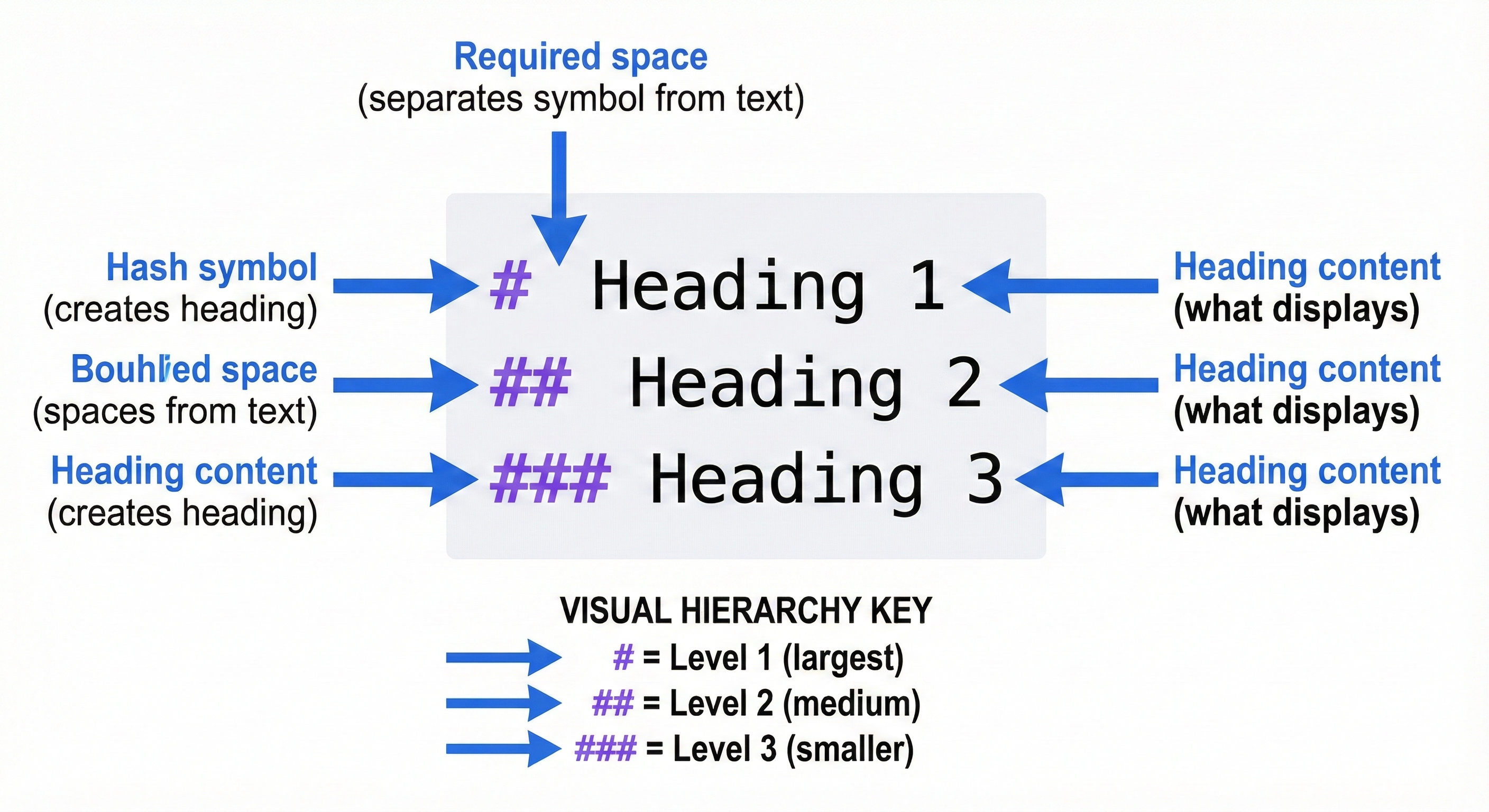
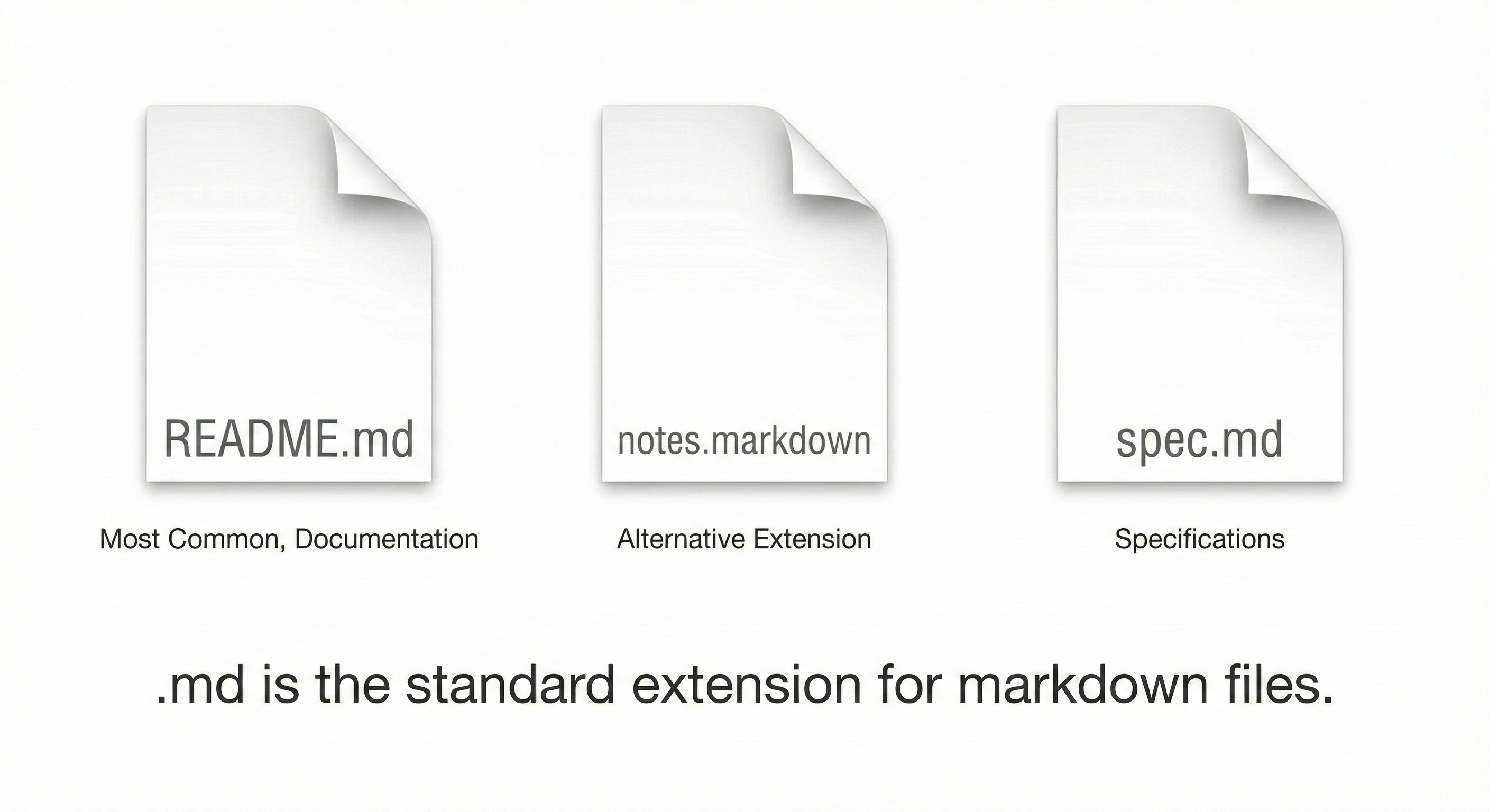
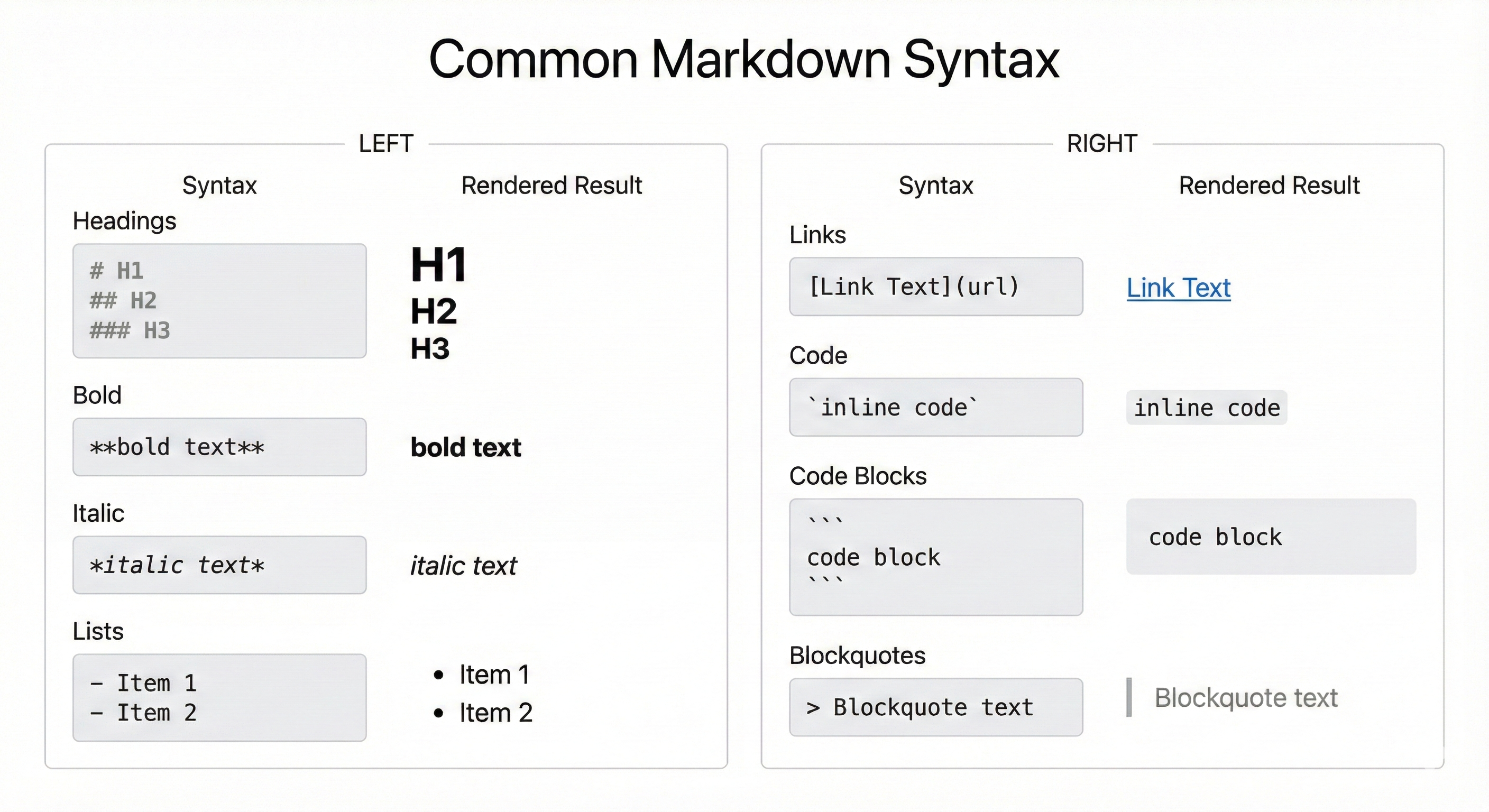
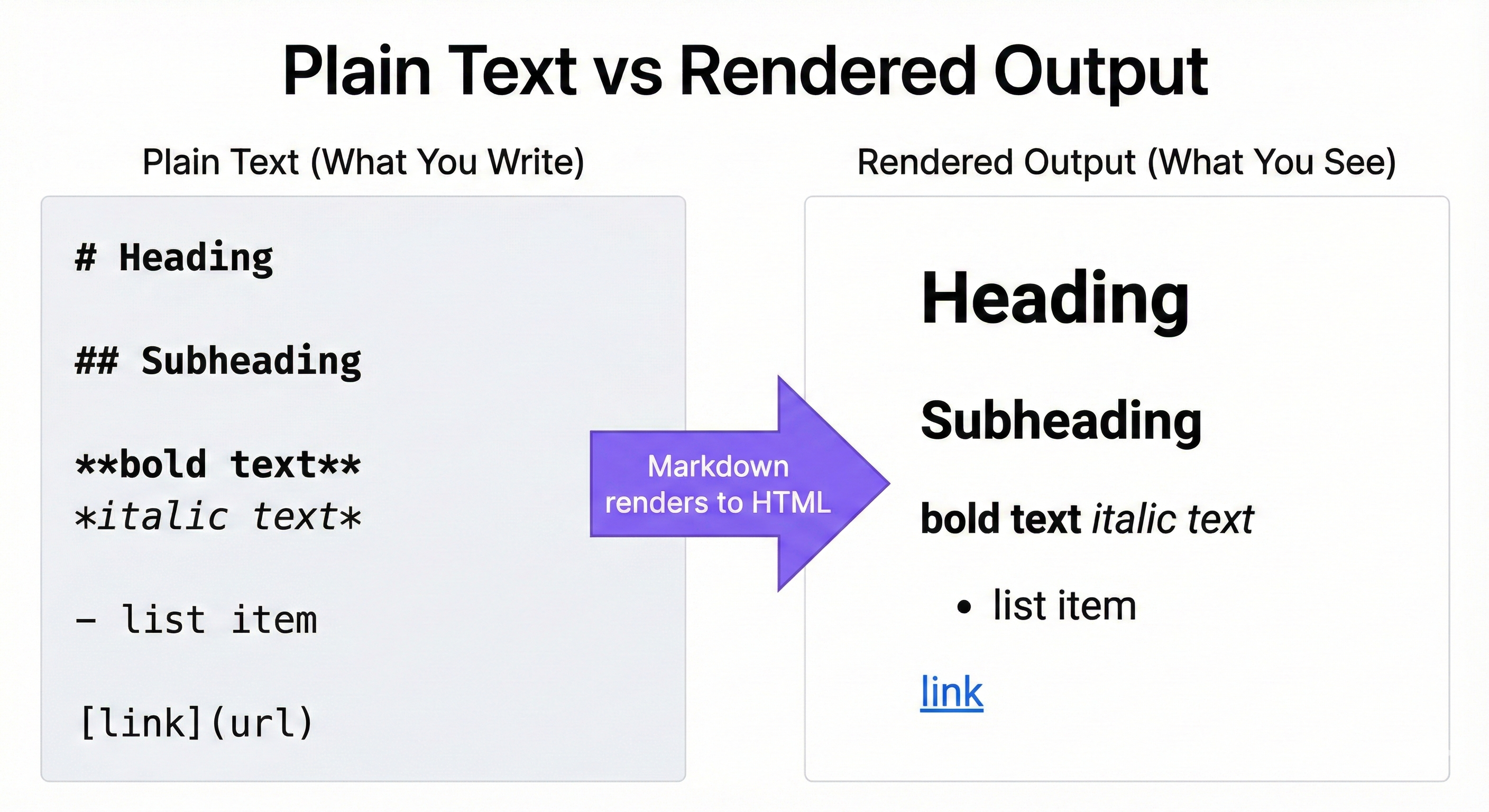
Concept 1: Structured Text vs. Unstructured Text
Let's compare two ways to describe the same project:
Version 1: Unstructured (Plain Text)
I want a weather app. It should show current temperature and conditions.
Users enter a city name. The app calls an API to get data. It should
display temperature in Fahrenheit. Also show humidity and wind speed.
Make sure to handle errors if the city doesn't exist.
An AI reading this has to guess:
- How many features are there? (Temperature, conditions, humidity, wind — is that 4 features or 1?)
- What's required vs optional?
- What order should things appear?
Version 2: Structured (Markdown)
Weather App

Features:
- Display current temperature (Fahrenheit)
- Show current weather conditions
- Display humidity percentage
- Display wind speed

User Flow:
1. User enters city name
2. App calls weather API
3. App displays weather data
4. If city not found, show error message
Now the AI knows:
- Exactly 4 features (each on its own line)
- The sequence of steps (numbered 1-4)
- Error handling is part of the flow
The structure removes ambiguity. You're not teaching the AI to guess — you're giving it clear labels.
What Difference Does This Actually Make?
Here's a real comparison. When given the unstructured weather app description, an AI generated:
# A basic weather program
city = input("City? ")
print(f"Weather for {city}: Sunny, 72F")
Missing: humidity, wind speed, error handling, clear feature separation.
When given the structured version with the same requirements, the AI generated:
def get_weather(city):
    """Display current temperature (Fahrenheit)."""
    # ... API call ...

def show_conditions(data):
    """Show current weather conditions."""
    print(f"Temperature: {data['temp']}°F")
    print(f"Humidity: {data['humidity']}%")
    print(f"Wind Speed: {data['wind']} mph")

# User Flow
city = input("Enter city name: ")
data = get_weather(city)
if data is None:
    print("Error: City not found.")
else:
    show_conditions(data)
Same request, dramatically different output. The structured version got all 4 features, the user flow, and the error handling — because the AI could see each requirement as a distinct item.
💬 AI Colearning Prompt
Explore with your AI: "I just learned that structured text helps AI understand requirements better. Can you show me two versions of a simple project description—one unstructured paragraph and one using markdown structure? Use a coffee shop ordering app as the example. Then explain which version would be clearer for you to implement."
Notice how structure isn't just about making text look nice. When you add markdown headings and lists, you're creating semantic meaning that AI can parse. This is why markdown is called "structured text"—the structure itself communicates intent. In professional development, clear structure reduces implementation errors and speeds up development cycles.
Large Language Models (LLMs) process text as "tokens" — small chunks of words or characters. When you write structured markdown, you're giving the AI clearer token boundaries and "attention cues." A heading like ## Features tells the model: "Everything below this relates to features." Lists create natural separations between items. This structure helps the AI's attention mechanism focus on relevant sections rather than treating your entire document as one continuous stream. Better structure = better AI comprehension.
Concept 2: Markdown as the "Intent Layer" in AIDD
AI-Driven Development (AIDD) has three layers. Markdown is how you work in the first layer:
Layer 1: Intent Layer (YOU write here)
You write what you want in a specification using markdown. Your spec describes:
- What problem you're solving
- What the software should do
- How to know if it's working
Your responsibility: Make your intent clear.
Why markdown stays in Layer 1: The specification represents your intent — the authoritative definition of what should be built. Even when AI helps draft or refine the spec, you have final approval authority. The implementation (Layer 3) must match the specification, not the other way around. This keeps you in control: change the spec, and the AI rebuilds to match.
Layer 2: Reasoning Layer (AI works here)
The AI reads your markdown specification and figures out:
- What code structure is needed
- What libraries to use
- How to implement each feature
AI's responsibility: Translate your intent into a plan.
Layer 3: Implementation Layer (AI generates here)
The AI writes actual code that matches your specification.
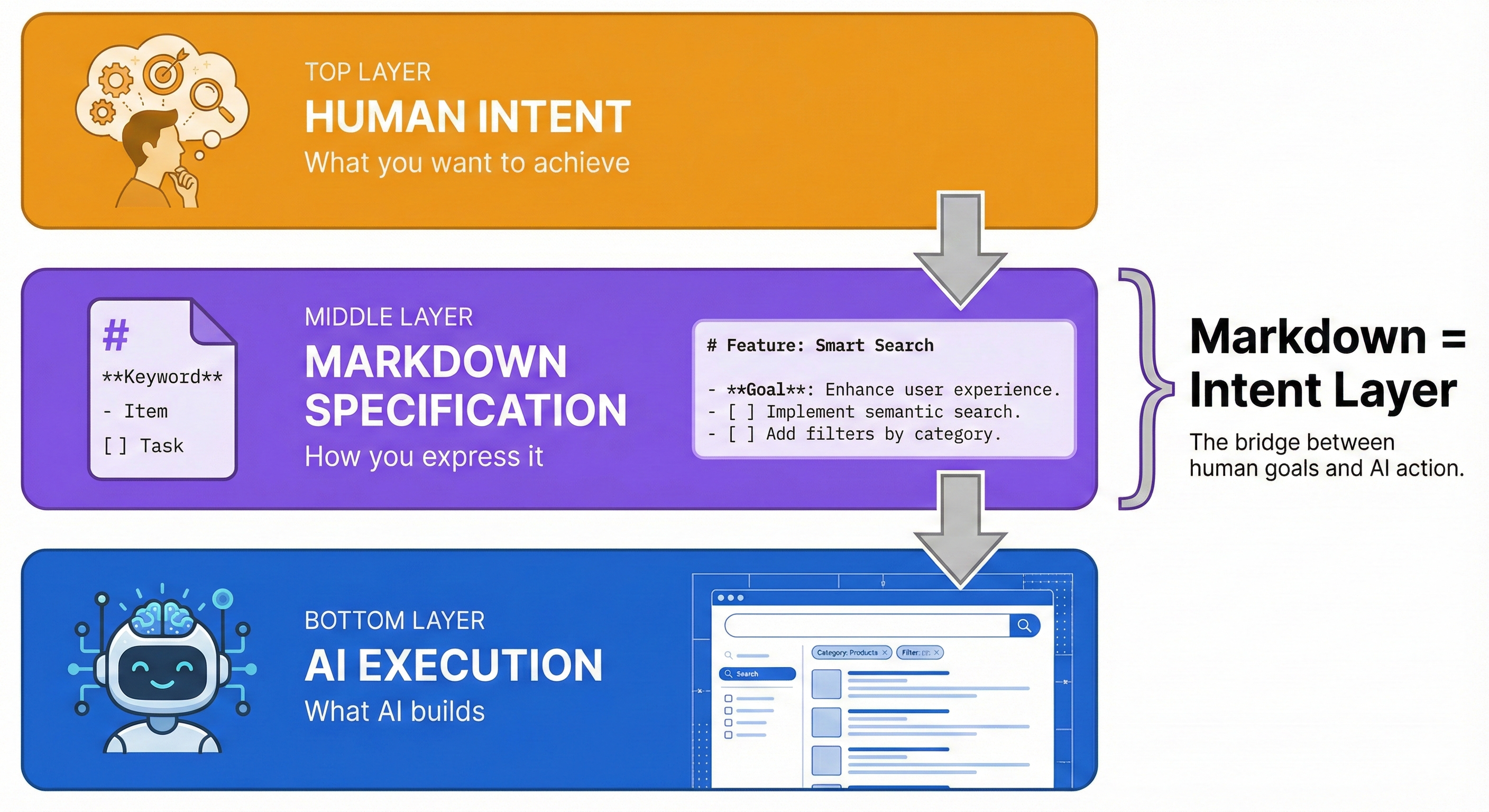
AI's responsibility: Execute the plan and generate working code.
Why Markdown Matters for This Workflow
Your markdown specification is the bridge between what you want (Layer 1) and what gets built (Layer 3). If your spec is clear and structured, the AI can generate accurate code. If it's vague and messy, the AI has to guess.
Example:
You write this specification in markdown (Layer 1):
Task Reminder App

Features:
- Create reminder with title and due date
- View list of all reminders
- Mark reminder as complete
- Delete old reminders

Expected Behavior:
When user views reminders, show them sorted by due date with
upcoming reminders first.
The AI reads this (Layer 2), plans the implementation, and generates Python code (Layer 3) that does exactly what you specified.
The key: Because your specification used structure (lists for features, clear sections), the AI didn't have to guess what "reminders" means or how they should be sorted.
🤝 Practice Exercise
Ask your AI: "I want to test how structure affects code generation. First, implement this unstructured request: 'Make an app that converts temperatures.' Now implement this structured version:
Temperature Converter
Features:
- Convert Fahrenheit to Celsius
- Convert Celsius to Fahrenheit
- Display formula used
Expected Output: Enter temperature: 32F Result: 0°C (Formula: (32-32) × 5/9)
Compare the two results. Which specification led to more accurate code? What did the structured version communicate that the unstructured one didn't?"
Real-World Context: Where You'll Use Markdown
You'll use markdown in these real AIDD scenarios:
1. GitHub README Files
When you create a project, you write a README explaining:
- What the project does
- How to install it
- How to use it
- How to contribute
GitHub renders your markdown as a formatted webpage.
2. Specifications for AI Agents
When you want an AI to build something, you write a spec describing:
- The problem you're solving
- Features you need
- Expected output
- Acceptance criteria
The AI parses your markdown to understand what to build.
3. Documentation Sites
When you build software, you create documentation explaining how it works. Documentation sites like Docusaurus (what this book uses) take markdown and create searchable, navigable websites.
4. AI Chat Prompts
When you ask an AI assistant (ChatGPT, Claude, Gemini, or others) to generate code, you can format your request with markdown structure to get better results. Instead of a paragraph, you give the AI a structured specification.
In all these cases, markdown is the format that bridges human intent and machine action.
Here's what makes markdown powerful in AI-native development: it's both human-readable and machine-parseable. You don't need special software to read it (unlike Word docs), yet it has enough structure for AI to extract meaning. This dual nature makes it the universal format for specifications, documentation, and AI communication. Professional development teams use markdown for everything from project READMEs to architecture decision records (ADRs).
Where to Write Markdown
You'll need a place to write and preview markdown throughout this chapter. Here are free options — pick whichever feels most comfortable:
- StackEdit — Browser-based, no install needed. Split-pane editor with live preview. Best for beginners.
- VS Code — Free code editor. Open any
.mdfile and click the preview icon (top-right of the editor) or pressCtrl+Shift+Vto see a live preview. On Mac, use⌘(Command) instead ofCtrl. - GitHub — Create a new repository and edit
README.mddirectly. The "Preview" tab shows rendered output instantly.
If you're unsure, open stackedit.io right now. You can start writing markdown in seconds — no setup, no downloads.
Understanding This Chapter's Approach
This chapter teaches markdown differently than other tutorials. Most tutorials teach you markdown syntax just for formatting text. This chapter teaches you markdown as a specification language for working with AI.
Learning Path
Lessons 2-4 (Core Syntax): You'll learn the essential markdown elements for writing specifications:
- Lesson 2: Headings — creating document hierarchy
- Lesson 3: Lists — organizing features and steps
- Lesson 4: Code blocks — showing examples and expected output
Lesson 5 (Integration): You'll combine everything into your first complete specification:
- Add links to documentation and images for diagrams
- Write a full spec using headings, lists, and code blocks
- Validate your spec with AI feedback
By the end, you won't just know markdown syntax — you'll understand how to use markdown as the Intent Layer that makes AI-driven development possible.
How to Verify AI Responses
You'll use AI throughout this chapter to check your work. But remember: AI is a thinking partner, not an authority. AI agents make mistakes — your job is to verify their answers.
When AI reviews your markdown or answers your questions, apply these 4 steps:
- Check against what you know — Compare AI's feedback to the rules from this lesson. If AI says your heading hierarchy is correct, manually check: did you skip any levels?
- Ask AI to explain its reasoning — Don't accept "Yes, that's correct." Ask: "Why is this correct? Explain your reasoning."
- Test specific claims — If AI says "This will render correctly," try rendering it yourself. Check against the CommonMark spec when unsure.
- Cross-reference — Ask a different AI tool if you get conflicting answers, or search for examples in real GitHub repositories.
Example: If AI says your spec is "very clear" — ask it to implement the spec. If the generated code doesn't match what you wanted, your spec wasn't actually clear.
Try With AI
Now that you understand WHY markdown matters and HOW to verify AI responses, let's explore these concepts with AI.
Setup
Use any AI assistant you have access to — ChatGPT, Claude, Gemini, or another tool. All prompts in this chapter work with any major AI assistant.
Prompt Set
Prompt 1 (Concept Exploration):
Copy and paste this into your AI assistant:
I'm learning about markdown as a specification language for AI-driven
development. Can you explain the difference between these two project
descriptions:

Version 1: "I want a calculator app with addition, subtraction,
multiplication, and division. It should work in the terminal."

Version 2:
Calculator App

Features:
- Addition
- Subtraction
- Multiplication
- Division

Interface: Command-line terminal

Which one is clearer for you to work with, and why?
Expected Outcome:
Your AI will explain that Version 2 is clearer because:
- Features are listed separately (easier to parse)
- Interface is explicitly stated
- Structure removes ambiguity
Prompt 2 (Real-World Connection):
Ask your AI:
Why do most GitHub repositories use README.md files written in markdown
instead of plain .txt files or Word documents?
Expected Outcome:
Your AI will explain that markdown:
- Renders nicely on GitHub (formatted webpage)
- Is readable as plain text (no special software needed)
- Is version-control friendly (git can track changes line-by-line)
- Is the standard developers expect
Prompt 3 (Apply to Your Domain):
Now try writing your own structured description. Think of a simple app or tool you'd like to build, then ask:
I want to practice writing structured specifications. Here's my project idea:

[Your App Name]

Problem: [One sentence describing what problem it solves]

Features:
- [Feature 1]
- [Feature 2]
- [Feature 3]

Can you review this specification and tell me:
1. Is the structure clear enough for you to understand what to build?
2. What additional sections would make this specification more complete?
3. Can you show me an improved version with your suggestions?
Expected Outcome:
Your AI will review your specification and suggest improvements like:
- Adding acceptance criteria (how to know if it works)
- Clarifying user flow (step-by-step interaction)
- Specifying constraints (what it should NOT do)